Markorax
CIPHER COLLECTION
CIPHER COLLECTION
Couldn't load pickup availability
Self-paced learning overview
- 📥 Digital file available after purchase
- ♾️ Long-term availability
- 🔒 Secure checkout
- 🗓️ Content updated in 2026
1. Problem Statement
Struggling to organize an HTML page that combines primary text with dates, author details, definitions, quotations, and short explanations? You are not alone: supporting information is often added through ordinary paragraphs without identifying its specific role. This can make the document less precise and cause related details to appear as disconnected fragments. Inconsistent element selection also makes larger materials more difficult to revise. The issue becomes particularly noticeable in articles, reference pages, educational notes, and thematic collections.
2. Solution
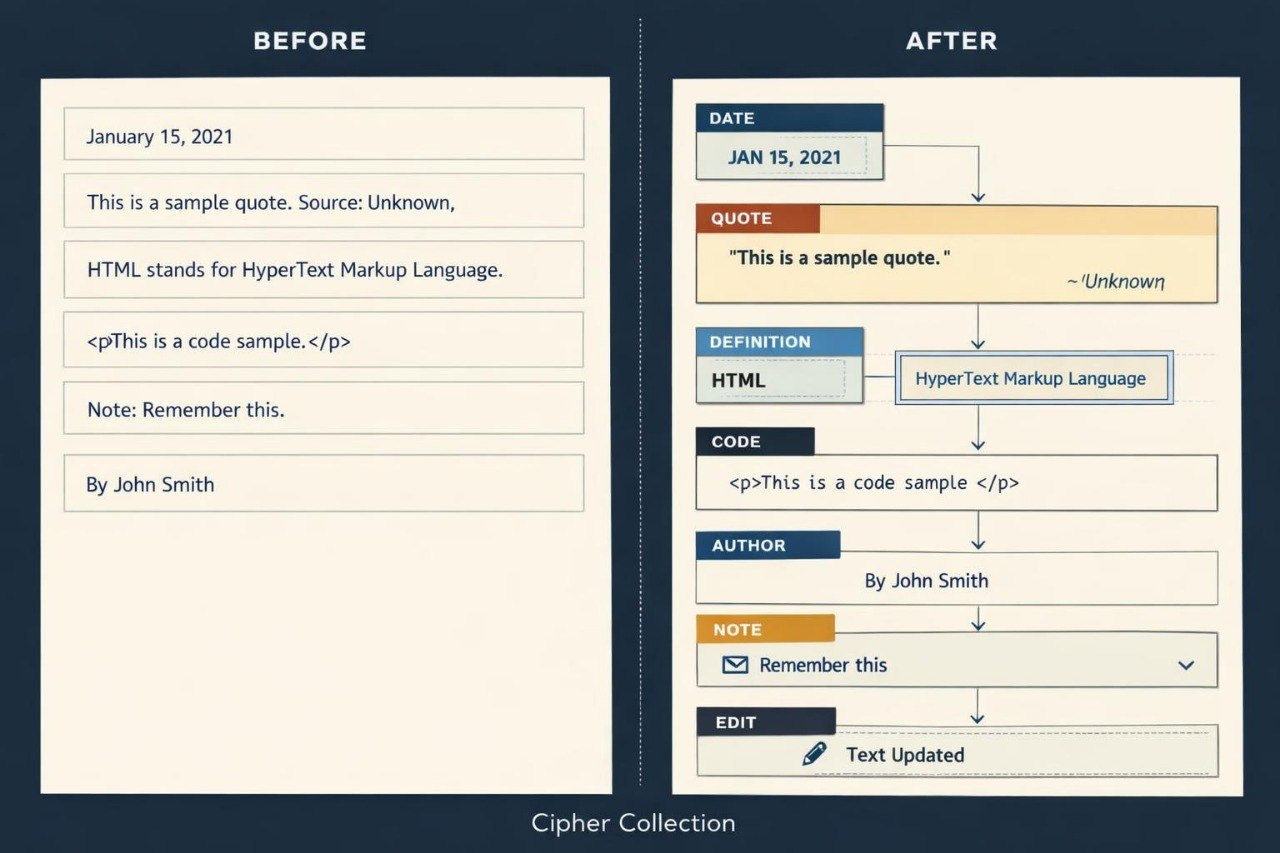
This course will teach you how to identify different information types with suitable HTML elements. You will examine dates, contact details, quotations, definitions, abbreviations, and technical fragments. The materials explain how primary text can be connected with notes and supporting information. Practical assignments help you distinguish meaningful markup from general visual grouping. The final project brings these subjects together in a detailed reference page containing several structured information types.
3. What’s Inside
Module 1: Meaning Beyond Basic Tags
You will examine how HTML can describe not only content placement but also its role within a document.
Module 2: Dates and Time Information
This module covers the time element, readable date presentation, and machine-readable values within the datetime attribute.
Module 3: Quotations and Sources
You will format short and extended quotations, add source information, and separate quoted material from original text.
Module 4: Definitions and Abbreviations
You will study dfn and abbr while learning how terms and shortened forms can be explained within educational content.
Module 5: Code and Technical Fragments
This module explains code, pre, kbd, and samp for markup examples, entered commands, and displayed results.
Module 6: Contact and Author Information
You will arrange contact and author details with suitable document structure and the address element.
Module 7: Details and Expandable Sections
You will work with details and summary to organize additional explanations, notes, and thematic answers.
Module 8: Changes and Editorial Notes
This module covers elements used to identify added, removed, and revised text.
Module 9: Reviewing Meaningful Markup
You will analyze pages where semantic elements are used inaccurately or replaced by general containers.
Module 10: Final Reference Page
You will build a reference page containing dates, quotations, definitions, code fragments, notes, and author information.
4. Who Is This For?
✅ Suitable if you:
- already create multi-section HTML pages;
- work with articles, reference materials, or educational content;
- want to describe content roles more precisely;
- plan to organize supporting information;
- are prepared to analyze document meaning before selecting elements.
❌ Not suitable if you:
- have not yet studied foundational HTML structure;
- require server-side information processing subjects;
- plan to work only with short pages without supporting details;
- do not intend to complete markup review assignments.
5. What You’ll Learn
- Identify dates and time values in HTML.
- Create short and extended quotations.
- Include information about material sources.
- Explain terms and abbreviations.
- Format code fragments and technical examples.
- Arrange contact and author information.
- Create expandable sections for supporting explanations.
- Identify editorial changes within written content.
- Correct inaccurate use of meaningful HTML elements.
- Build a page containing at least six structured information types.
6. Refund Policy
A refund request may be submitted within 30 calendar days of the course purchase date. Each request is reviewed according to the terms published on the Markorax website, including the status of completed materials and other stated eligibility conditions.
7. Certificate
After completing all required modules and the final assignment, the learner receives a Markorax certificate. The document records the course title and the main subjects covered.
1. How are the courses organized?
1. How are the courses organized?
Each course contains ordered modules, written explanations, HTML markup examples, practical exercises, and final assignments. Learners can study at their own pace and return to earlier topics whenever additional review is needed.
2. Is previous web development experience required?
2. Is previous web development experience required?
Previous experience is not required for the introductory plans. Later collections are intended for learners who already understand basic HTML tags and want to work with larger page structures.
3. How do the plans differ?
3. How do the plans differ?
The plans follow a gradual progression in material volume, module count, and assignment complexity. Introductory options cover foundational topics, while later collections examine semantic structure, forms, tables, multi-page projects, and more detailed markup organization.
4. Is a certificate included?
4. Is a certificate included?
Yes. After completing the required modules and final assignments, the learner receives a Markorax certificate. It records the completed course and the main subjects covered in the program.
Share